BusyContacts from BusyMac is one of the most complete contact managers on the Mac. It connects directly to iCloud, Google, Exchange, Office 365, and CardDAV servers, shows contacts as cards or as a multi-column list, and links people to BusyCal events and Apple Mail messages.
That breadth is the reason to choose it, and also the reason some people look elsewhere. This guide compares it with Compact Contacts by the work you actually do, using what BusyMac publishes as of November 2026.
How the two apps differ
| Question | BusyContacts | Compact Contacts for Mac |
|---|---|---|
| Main idea | A complete contact manager with its own sync, tags, and an activity list | A table-first workspace on top of Apple Contacts for review and cleanup |
| Price | $49.99 once, 14-day trial; also in Setapp | $24.99 once, no in-app purchases |
| Devices | Mac only | Mac; iPhone and iPad through the separate Compact Contacts Manager ($14.99) |
| Sync | Connects directly to iCloud, Google, Exchange, Office 365, Fastmail, and CardDAV | Uses the accounts already set up in Apple Contacts; macOS does the syncing |
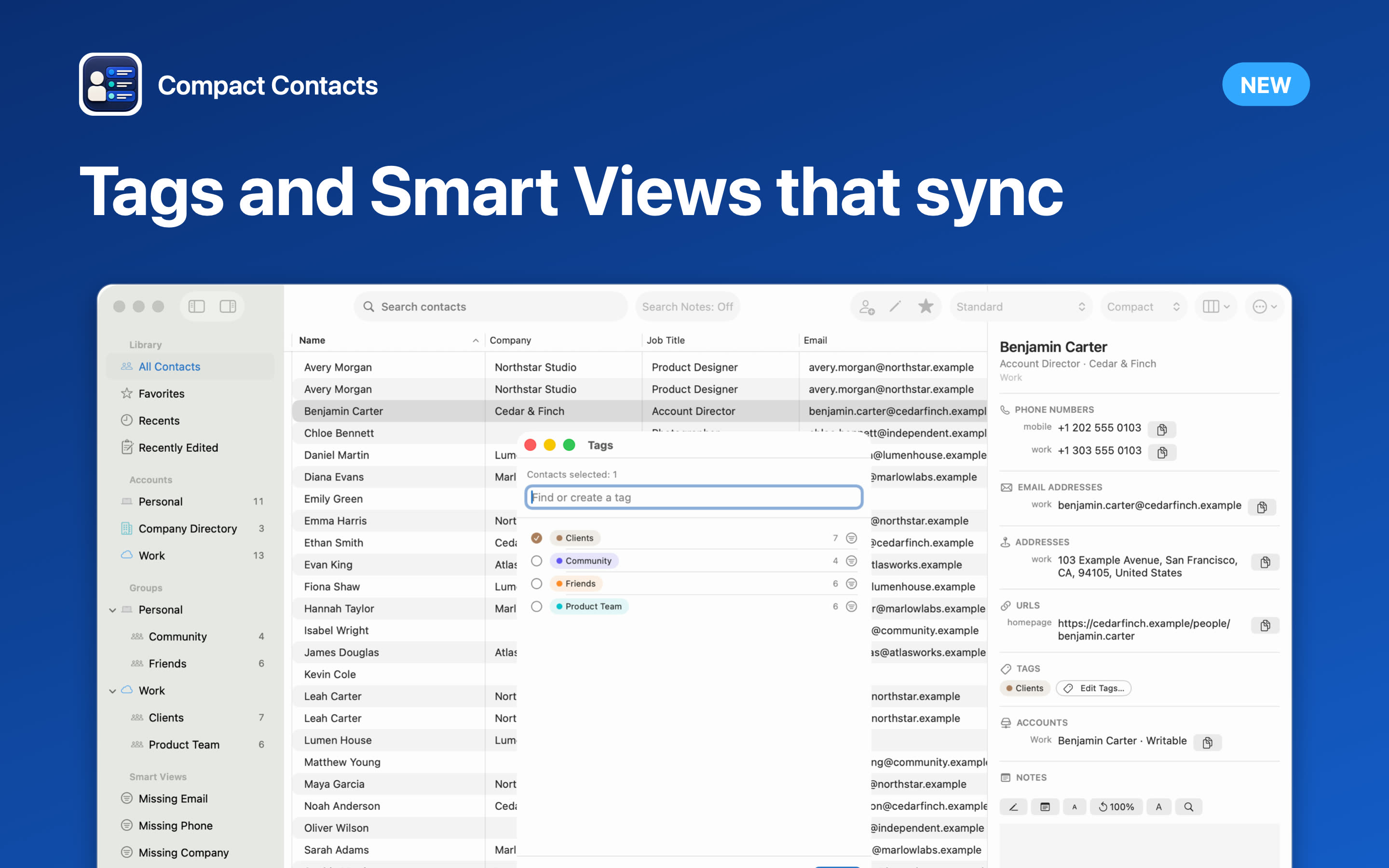
| Organizing | Tags (mapped to groups) and Smart Filters | Native groups and Smart Views with ALL or ANY rules |
| History | Activity list with Mail messages and BusyCal events and tasks | Searchable contact Notes; no activity timeline |
| Cleanup | Linking and merging duplicate cards | Duplicate review, Merge Studio with 30-day Undo, Bulk Edit with a preview, missing-field Smart Views |
BusyContacts is the better choice if
- You use BusyCal and want contacts linked to events and tasks.
- You want an activity history for each person without a CRM.
- You share address books with colleagues on a server that supports it.
- You need tags that map to Outlook categories as well as Apple groups.
A lighter tool may be enough if
- Apple Contacts already syncs everything you need and you only want a better view of it.
- Your main problems are duplicates, missing fields, and inconsistent company names.
- You also want the same workflow on iPhone or iPad, where BusyContacts has no app.
- You would rather not add another sync engine between your devices and your contact server.
One question settles most comparisons
Ask what should own your contacts. With BusyContacts, the app talks to your servers itself, which brings features that Apple Contacts does not have. With Compact Contacts, Apple Contacts stays in charge and the app only reads and writes what Contacts exposes.
Neither is wrong. The first gives you more features; the second keeps one fewer thing between your devices and your data.
Questions people ask
Does Compact Contacts have tags like BusyContacts?
It uses native Contacts groups and Smart Views. BusyContacts tags are also stored as groups in Apple Contacts, so groups you create in either app are visible in both.
Can I use Compact Contacts and BusyContacts together?
Yes, as long as both work with the same accounts. Make larger changes in one app at a time and let the account sync before switching.
Does BusyContacts run on iPhone?
BusyMac documents BusyContacts as a Mac app. On iPhone, the contacts it syncs appear in Apple Contacts.
Which one is cheaper?
BusyContacts is $49.99 once. Compact Contacts is $24.99 once on Mac, and $14.99 once for iPhone and iPad if you want it there too.