
A client rebrands, an acquisition renames a team, or an import spelled a company three different ways. Apple Contacts makes you open each card.
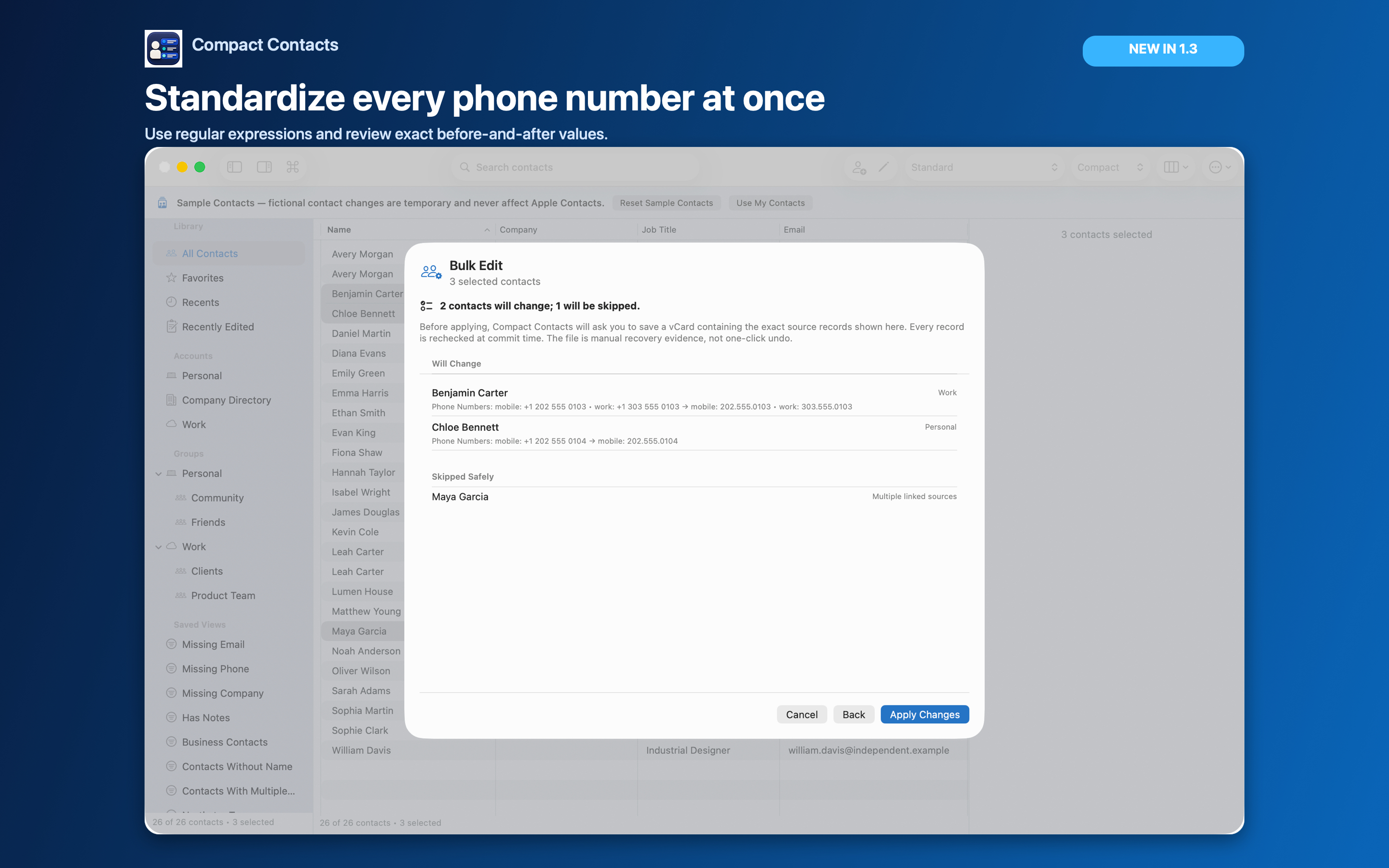
Compact Contacts changes the Company field on selected contacts in one operation, after showing you every old and new value.
Rename a company
- Find every spelling. Search for the distinctive part of the name, such as “Northst”, and sort by Company to see the variants together.
- Select only the right cards. Select the rows that belong to this company. Watch for a different company with a similar name.
- Choose the operation. In Bulk Edit, pick Company. Use Set value to replace the whole field, or Find and replace to change only part of it.
- Review, save the recovery copy, apply. Read the Will Change and Skipped Safely lists before Apply Changes.
Set value or Find and replace?
Turn on Whole value in Find and replace to avoid changing “Northstar Studio Tours” when you meant only “Northstar Studio”.
| Operation | Best for | Example |
|---|---|---|
| Set value | Every selected card should end up identical | Everything becomes “Northstar Design” |
| Find and replace | Only part of the text changes | “Studio” becomes “Design”, other words stay |
| Trim whitespace | Invisible spaces break sorting | “Northstar ” becomes “Northstar” |
Related fields
Department and Job Title often change with a company rename. Do them as separate passes so each preview stays easy to read.
Questions people ask
Why were some contacts skipped?
Read-only, linked, or ambiguous records are skipped and listed. Change them in the account that owns them.
Can I undo the change?
There is no automatic undo for Bulk Edit. Import the recovery vCard only after checking what is currently in Contacts.
Does the new company sync to my iPhone?
Yes, through the account that owns each contact, like any other edit.