Mac 1.6
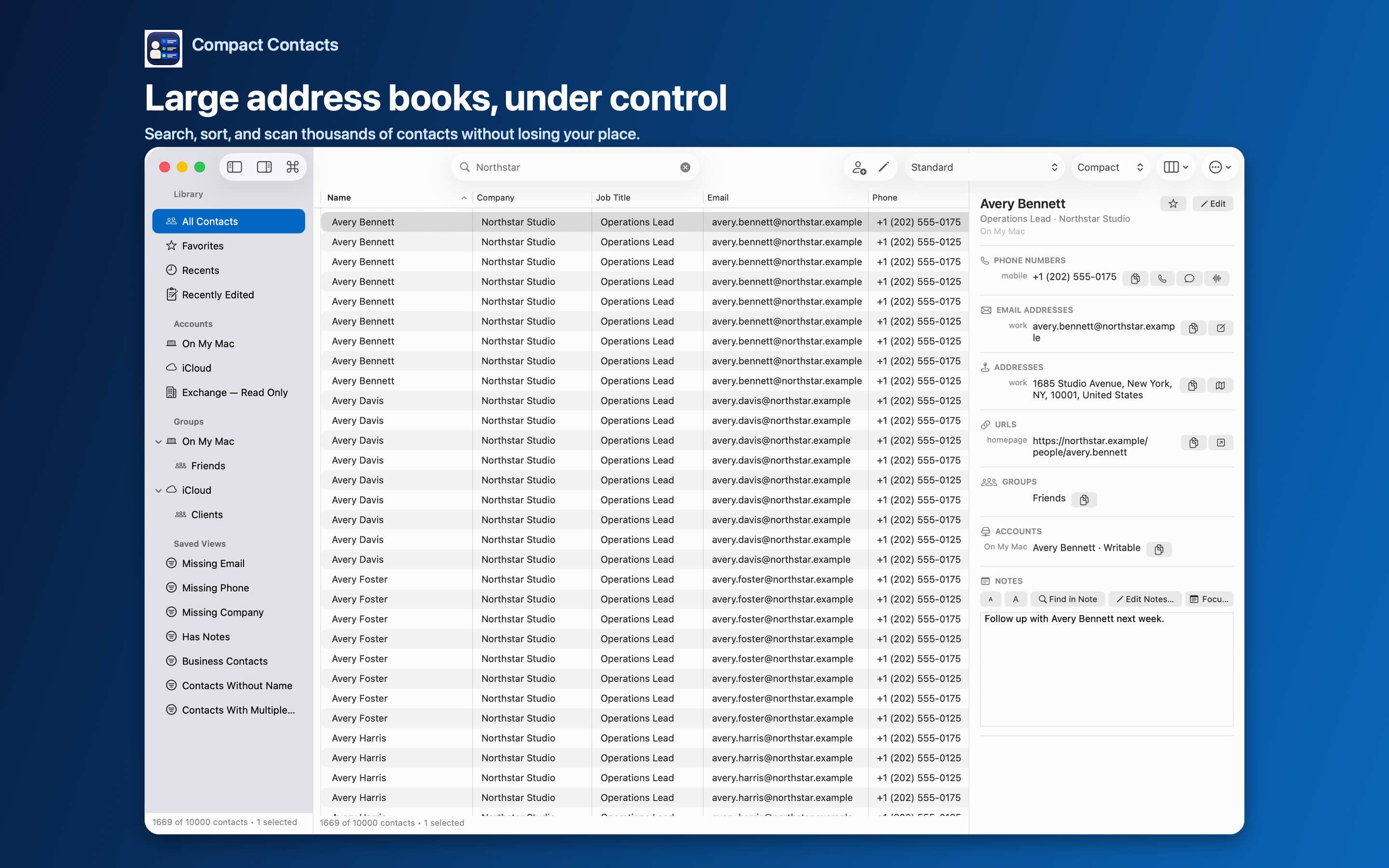
A native table for compare-many contact work.
Move from a large list to one detailed card without losing the fields, accounts, groups, or Smart View that framed the task.
macOS
See more, find the right records, and change less at once.
- Configurable columns, sorting, and row density
- Expanded Bulk Edit with text and regex transformations
- Field-by-field Merge Studio with encrypted Merge History
- Faster Notes indexing, large tables, and CSV export
- One layout for every list, kept after relaunch, with optional Smart View layouts
One-time purchase: $24.99 on Mac, $12.99 on iPhone and iPad · iPhone and iPad in one purchase · No subscription · No ads or third-party analytics in the apps
Mac 1.6 · iPhone & iPad 1.6
Compact Contacts is now on iPhone.
Version 1.6 turns Compact Contacts Manager into one universal iPhone and iPad app with the full iPad feature set, and updates the Mac app with layouts that stay put and better phone-number grouping.
- iPhone: four tabs (Contacts, Lists, Clean Up, and Search), rich two-line rows that follow your column layout, swipe actions, long-press menus, multi-selection, and an A–Z scrubber.
- Step-by-step Bulk Edit, Merge Studio with Undo, vCard import, Export Center, and deletion on iPhone, with the same previews and recovery checks as iPad.
- Turn the iPhone to landscape for the dense grid with inline editing. On foldable and other regular-width iPhones, the list and contact detail sit side by side.
- The layout you choose applies to every list and is kept after relaunch. A Smart View can keep its own layout: pick “Smart View Layout” in the Layouts menu.
- Phone numbers in international format are grouped correctly for every country, such as +44, +972, and +51. Stored numbers never change.
- A contact’s additional phone numbers now appear under Phone Numbers in search results.
- Mac: row density stays the same in Favorites, Recents, and Recently Edited, plus a tidier sidebar, a fixed-width Layouts button, a centered contact count, and a distinct Edit Notes icon.
One purchase of Compact Contacts Manager covers iPhone and iPad, so existing iPad owners get the iPhone version at no extra cost. The Mac app, Compact Contacts, is a separate purchase.
Still included on every platform: search results grouped by the field that matched, Bulk Edit cleanup of repeated values, previewed deletion with recovery, and field-by-field Merge Studio.