Cardhop by Flexibits is a well-made contact app. Its strength is speed: type a sentence such as a name, an email address, and a company, and Cardhop works out which fields they belong to. It lives in the menu bar and sits next to Fantastical.
People look for an alternative for different reasons: the subscription, the need to merge duplicates, or a list that has grown too large to manage one card at a time. This guide compares the two apps by job, using what each vendor publishes as of November 2026.
Two different jobs
| Question | Cardhop | Compact Contacts for Mac |
|---|---|---|
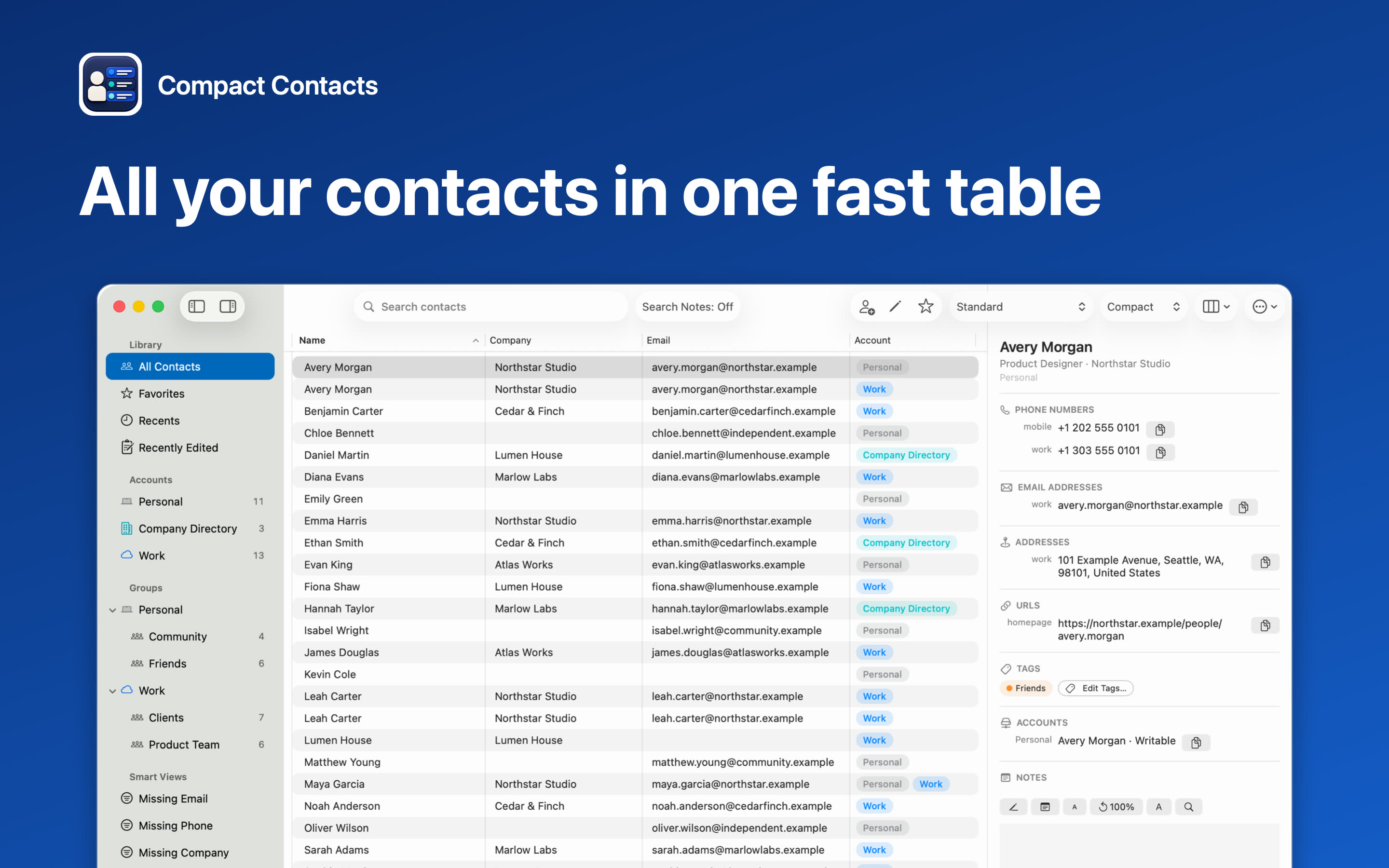
| Main idea | Quick entry, search, and actions from the menu bar, with a natural-language parser | A table of the whole address book for comparing, filtering, and batch work |
| Price | Free tier; groups, smart groups, timestamped notes, and business card scanning need Flexibits Premium ($6.99 a month or $56.99 a year on the App Store) | $24.99 once, no in-app purchases |
| Devices | Mac, iPhone, iPad, and Apple Vision Pro under one subscription | Mac app; Compact Contacts Manager for iPhone and iPad is a separate $14.99 purchase |
| Where contacts live | The accounts set up on the Mac | Apple Contacts and the accounts it syncs (iCloud, Google, Exchange, CardDAV) |
| Duplicate merging | Not offered; the Cardhop FAQ points to Card › Look for Duplicates in Apple Contacts | Duplicate review and Merge Studio with field-by-field choices and Undo for 30 days |
| Many contacts at once | Group actions such as emailing a group | Bulk Edit with a before-and-after preview, CSV and vCard export of any selection |
| Notes | Timestamped notes (Premium); optional on-device summary of long notes with Apple Intelligence | Notes search across every contact, Notes-focused Inspector layout |
Stay with Cardhop if
- You add and look up contacts all day and want to do it with one typed line.
- You use Fantastical and want invitations and contact actions in one subscription.
- You want the same app on Apple Vision Pro.
- Your address book is small enough that duplicates and inconsistent fields are rare.
Consider a table-first app if
- You need to see which contacts are missing an email, phone number, or company.
- You have duplicates from a phone switch or a second account and want to merge them with a preview.
- You update many cards at once when a company renames itself or a team moves.
- You prefer a one-time purchase for a tool that does not run a server for you.
You can use both
Both apps read and write the same Apple Contacts data, so they do not compete for your records. A change made in one appears in the other after Contacts saves it. Some people keep Cardhop for quick entry and use a table app for the monthly cleanup.
Neither app needs its own account to store your contacts. Syncing stays with iCloud, Google, or Exchange.
Important: Before any cleanup, export a full copy of your contacts. A merge or bulk change reaches your other devices after the account syncs.
A fair way to decide
- Write down the last five contact tasks. Adding someone after a call is a different job from finding everyone at one company without a phone number.
- Try both on safe data. Cardhop has a free tier and a 14-day trial of Premium. Compact Contacts has Sample Contacts, a fictional address book that never touches your real one.
- Check the total cost. Compare a yearly subscription with a one-time price for the devices you actually use.
Questions people ask
Can Cardhop merge duplicate contacts?
Not according to the Cardhop FAQ, which points to Card › Look for Duplicates in Apple Contacts. Compact Contacts reviews possible duplicates by email, phone, or name and company and merges one reviewed group at a time.
Does Compact Contacts understand natural-language entry like Cardhop?
No. It has a standard new-contact form. Its focus is reviewing and changing existing contacts.
Is Compact Contacts a subscription?
No. The Mac app is $24.99 once. The iPhone and iPad app is a separate one-time $14.99 purchase.
Will switching apps move my contacts?
No. Both work with Apple Contacts, so there is nothing to import or migrate.