
The iPhone can share contacts as vCard files, which spreadsheets do not read well. To get a list of names, companies, and numbers into Excel or Numbers, you need CSV.
Export Center in Compact Contacts Manager writes a CSV of exactly the contacts and fields you choose, and shows what leaves the iPhone before the file is saved.
Export in four steps
Start with Select Contacts and tap Export Center in the bar at the bottom, or open Export Center from the Clean Up tab and choose a scope there.
| Step | What you choose |
|---|---|
| Scope | Current Selection, Current Search and Filters, a Smart View, a group, an account, or All Accessible Contacts |
| Format | CSV (.csv) for spreadsheets, or vCard (.vcf) for Contacts apps |
| Contents | The CSV fields and the language of the column names |
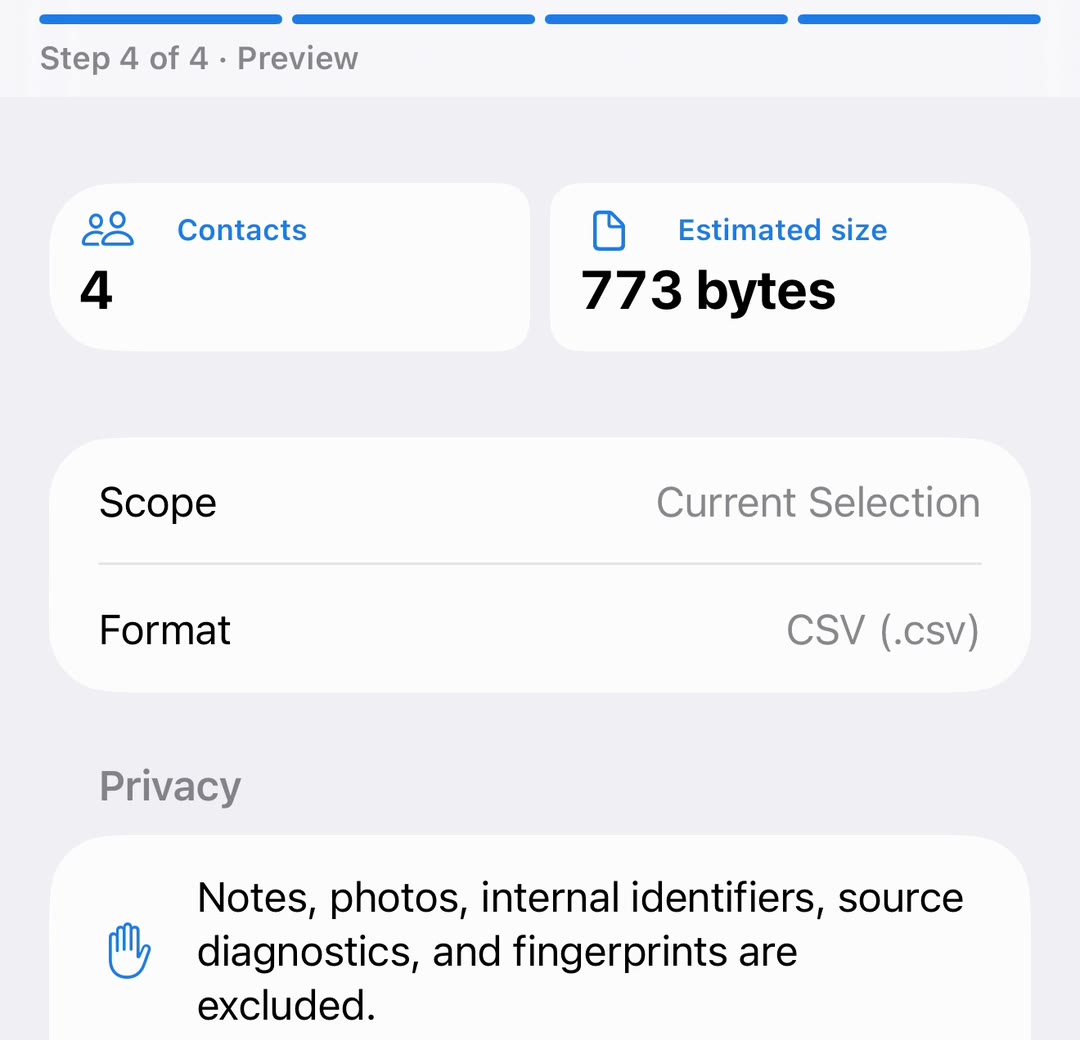
| Preview | The number of contacts, the estimated file size, the scope, the format, and the privacy notes |
Choose the fields
Field Names sets the header row to the app’s language or to English. English headers are easier to import into other tools.
- Basic: first and last name, display name, organization, phone numbers, and email addresses.
- Business: Basic plus department, job title, websites, and postal addresses.
- All Supported: all 15 fields, including birthday, dates, relationships, and social profiles.
- Custom: pick the columns and drag them into order.
What the CSV leaves out
Notes, photos, internal identifiers, and source diagnostics are never written to the CSV. Cells that a spreadsheet could read as a formula are made safe, so a value starting with = cannot run when the file is opened.
Save the file
Tap Choose Location… and pick a folder in Files, iCloud Drive, or another storage provider. Before saving, the app checks the contacts again; if something changed since the preview, it asks you to review.
Important: A contact export holds other people’s personal data. Keep the file somewhere private and delete copies you no longer need.
Questions people ask
Can I export all my iPhone contacts to CSV?
Yes. Choose All Accessible Contacts as the scope.
Are Notes included?
Not in CSV. A vCard export can include Notes if you turn on Include Contact Notes.
Which apps open the file?
Excel, Numbers, Google Sheets, and most mailing and CRM tools import CSV.
Is the file uploaded anywhere?
No. It is written on the iPhone and saved only to the place you choose.