
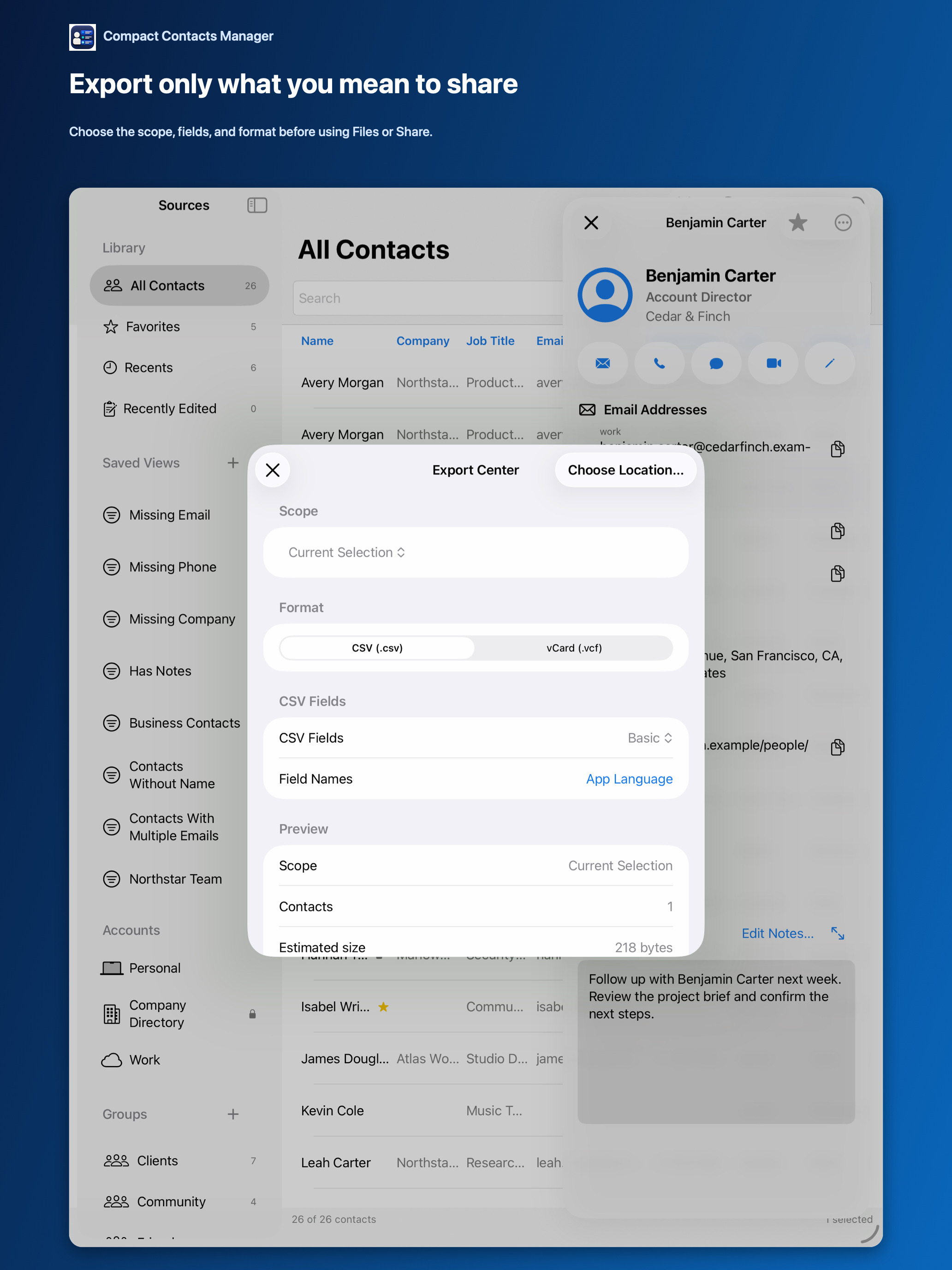
Both formats are plain text and widely supported, but they are built for different destinations. Picking the wrong one means lost fields or a file nobody can open properly.
Comparison
| CSV | vCard (.vcf) | |
|---|---|---|
| Opens in | Numbers, Excel, Google Sheets, mailing tools | Apple Contacts, Google Contacts, Outlook, phones |
| Structure | One row per contact, columns you choose | One card per contact, all supported fields |
| Multiple phones or emails | Flattened into columns | Kept with labels |
| Notes | Never included | Only if you include them |
| Round trip back into Contacts | Awkward | Natural |
Rules of thumb
- Mail merge, invoice list, or audit: CSV with English headers.
- Moving a team to a colleague’s phone: vCard without Notes.
- Personal backup: vCard, stored privately, or a Contacts Archive.
Export either from the same place
Export Center offers both formats for every scope: selection, search, Smart View, group, or account. The preview shows the count before you save.
Questions people ask
Can I import a CSV back into Apple Contacts?
Apple Contacts imports vCard more reliably. Keep CSV as an output.
Are photos exported?
No. Photos are not part of Compact Contacts exports.
Which is smaller?
CSV with a few columns is usually smallest; the preview shows the estimated size.