
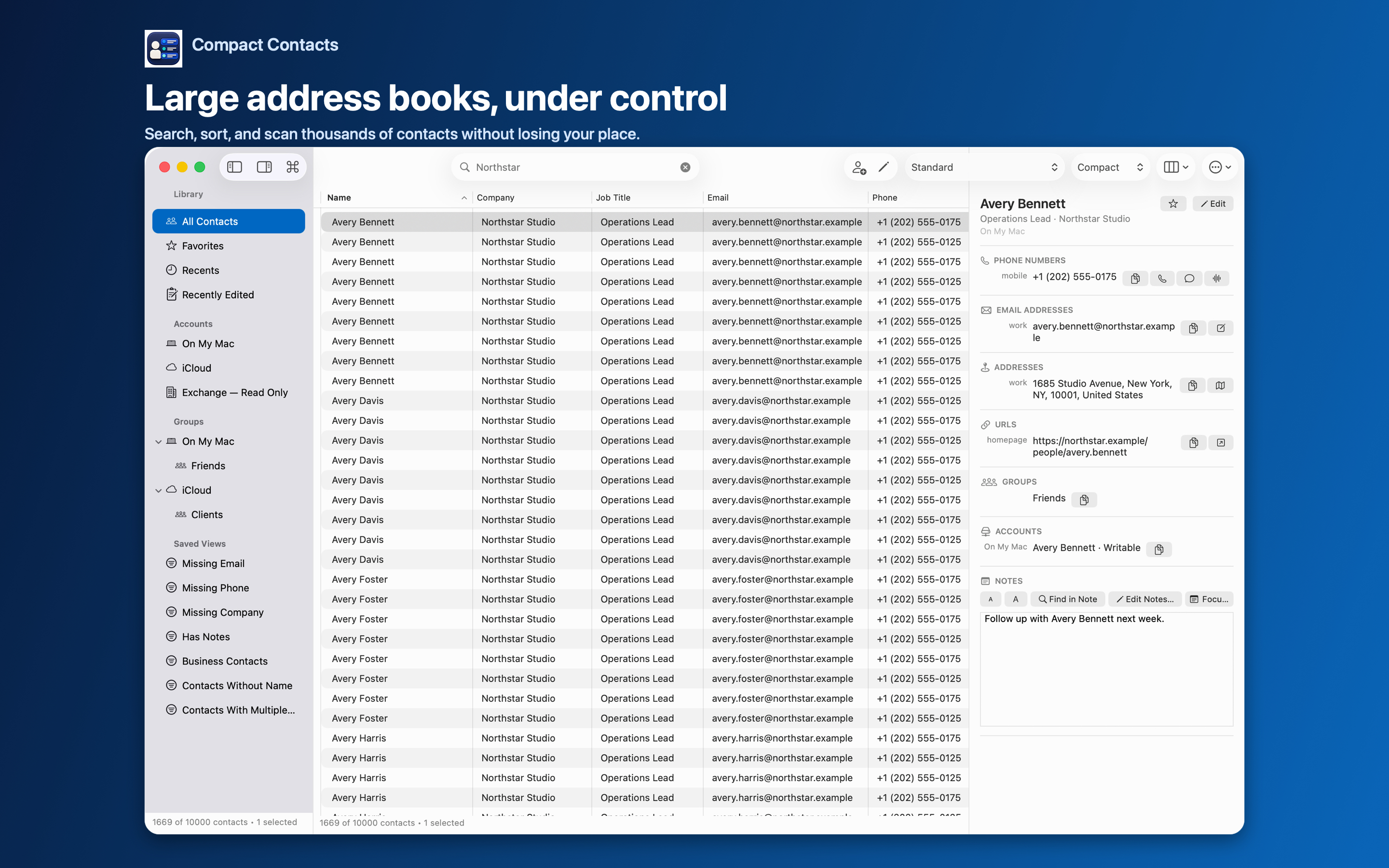
This comparison is written by the developer of Compact Contacts. Both apps can work with contacts made available through macOS, but they organize the work differently. Buying another app is unnecessary if opening and editing one card at a time already meets your needs.
Compact Contacts adds a workspace over the system address book. It does not replace iCloud, Google, Exchange, or CardDAV synchronization, and installing it does not make a restricted account writable.
Compare the task, not just the feature count
| Task | Apple Contacts | Compact Contacts |
|---|---|---|
| Look up or edit one person | Built-in contact cards and editing. | Table selection plus a separate Inspector; extra software may be unnecessary for this task. |
| Compare fields across many people | Card-oriented workspace. | Configurable columns, sorting, density, and saved layouts. |
| Repeat one field change | Individual card editing. | Bulk Edit with before-and-after values, skipped records, and a recovery-copy step. |
| Combine duplicate cards | Merge selected cards; link cards across accounts. | Merge Studio with field choices and encrypted recovery for eligible merges; no Merge All. |
| Work with long contact notes | Notes within a contact card. | Notes-focused Inspector and optional on-device Notes search, subject to access. |
| Account synchronization | System account integration. | Uses system-accessible contacts; does not run its own sync service. |
| Purchase | Included with macOS. | $24.99 USD one-time Mac purchase at review time; no subscription. The iPhone and iPad app is a separate purchase. |
Example: standardize a company name
Suppose eight colleagues have three spellings of the same company. In Compact Contacts, narrow the table to those people, check their accounts, and preview a Company update. A before-and-after review is more useful here than repeatedly opening unrelated cards.
If only one card is wrong, editing it in Apple Contacts may be simpler. A larger interface is not automatically a better choice.
Example: two cards contain different information
One card has the current mobile number; another has an important note. Deleting either card without comparison can discard useful information. First decide whether the cards should remain in separate accounts, be linked, or be merged.
Apple Contacts supports merging and linking. Compact Contacts is useful when you want to inspect the proposed field choices before merging. Its recovery applies to eligible merges performed in the app, not to arbitrary earlier edits in Apple Contacts.
- Apple: merge contact cards on Mac
- Apple: link contacts from different accounts
- Compare fields and understand merge recovery
When to keep your current setup
- Keep Apple Contacts if occasional lookups and single-card edits are enough.
- Choose a CRM instead if you need shared pipelines, relationship reminders, or team collaboration; Compact Contacts does not provide those services.
- Resolve missing account data or sync problems with the account provider first. A different contact interface cannot repair every provider problem.
- Try Sample Contacts before granting access to a real address book. The sample workspace is temporary, not a free trial of every real-contact workflow.
Price and privacy before you decide
The Mac product requires macOS 15 or later. Check your local App Store for current compatibility and regional pricing. The Mac app and the iPhone and iPad app are separate products.
Compact Contacts processes contacts on the device without a developer contact cloud, ads, or third-party analytics. Your configured providers may still synchronize the records. An export or a system handoff can share data when you choose to perform it.
Questions people ask
Does Compact Contacts replace the Apple Contacts database?
No. It works with contacts exposed by the system Contacts framework. Saved layouts and filters do not create a second hosted address book.
Is there a subscription?
No. The Mac app is a one-time purchase. The iPhone and iPad app is sold separately; verify current regional prices in the App Store.
Can it undo changes made in Apple Contacts?
Do not rely on it for that. Eligible Merge Studio recovery is scoped to merges performed in Compact Contacts; bulk-edit recovery uses a separate manual recovery copy.