
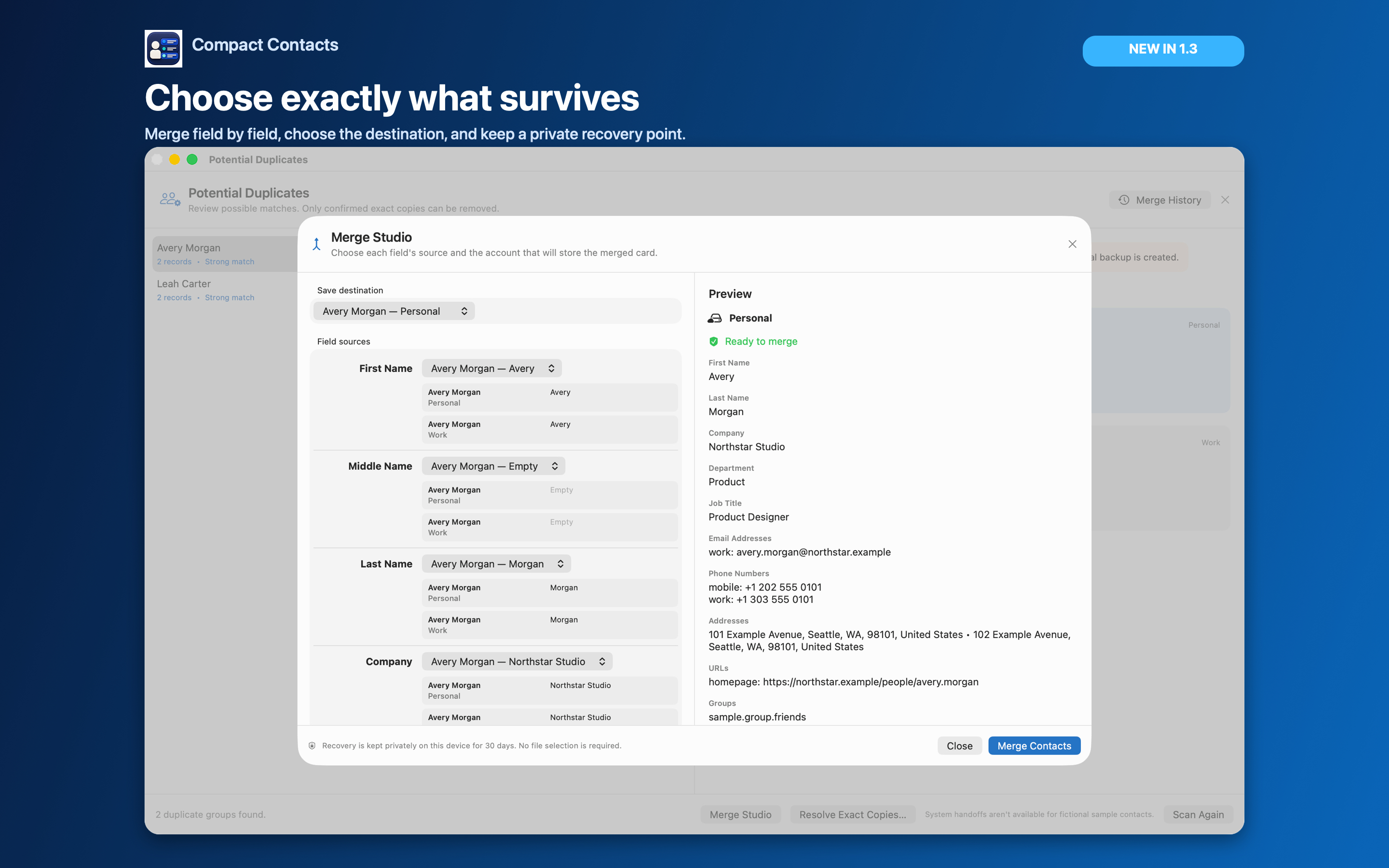
A duplicate-looking name can mean two records for one person, two different people, or one person intentionally stored in two accounts. Before removing anything, compare the source accounts, phone numbers, email addresses, Notes, and group membership.
For example, Avery’s work card might contain a current office number while a personal card contains family details. The matching name alone does not make either card disposable.
Choose the action that matches the records
| What you found | What to consider |
|---|---|
| Different people with the same name | Keep both. Add verified distinguishing information if necessary. |
| One person, complementary fields, one intended destination | Review a merge that preserves the needed values. |
| One person intentionally present in work and personal accounts | Keep separate or consider linking in Apple Contacts. |
| A confirmed redundant record with no unique information | Consider deletion after backup and source verification. |
| Records return after cleanup | Investigate the provider or repeated import before deleting again. |
Merging preserves a chosen result
Apple Contacts lets you select cards and choose Card → Merge Selected Cards. If you need to choose the surviving values explicitly, compare one group in Compact Contacts Merge Studio before confirming.
Check long Notes and multiple labeled phone or email values as well as the visible name. A successful merge should be verified by reopening the result.
Linking does not remove the source cards
Apple Contacts can link cards from different accounts so they appear together. The underlying account records remain separate. This can be appropriate when the employer owns one record and you maintain another personally.
Do not delete a source solely because the combined card already shows its values. Decide whether the separate source still serves a purpose.
Deleting is a different operation
- Back up and identify the survivor. Keep a Contacts archive and a checked export of the affected cards. Decide which exact source record must remain.
- Compare the complete cards. Look beyond name and primary email. Review additional labels, Notes, addresses, and memberships.
- Use the source-aware deletion workflow. Apple Contacts provides contact deletion. On Mac, Compact Contacts also previews selected-contact deletion and requires recovery evidence for real records. Follow its checks rather than assuming a merge-history entry will undo a deletion.
- Verify both removal and retention. Confirm the redundant source is gone and the intended surviving card still contains the needed information. Verify provider sync separately.
Important: Removing a card from a list and deleting the contact are different actions. Read the confirmation and source scope.
If duplicates keep returning
Repeated cleanup without identifying the source can remove useful records again. Check whether another account, device, or recurring import is reintroducing the data. If the records only appear in Outlook, first establish whether they are available in Apple Contacts at all.
Questions people ask
Should I delete every duplicate detected by an app?
No. Detection proposes candidates. Review identity, source accounts, and unique fields before choosing an action.
Can Compact Contacts merge all duplicates automatically?
No. Merge Studio is a reviewed, field-level workflow, not a Merge All cleanup service.
Does linking reduce the number of source records?
No. Linked cards remain in their original accounts. The combined display is not proof of deletion.