
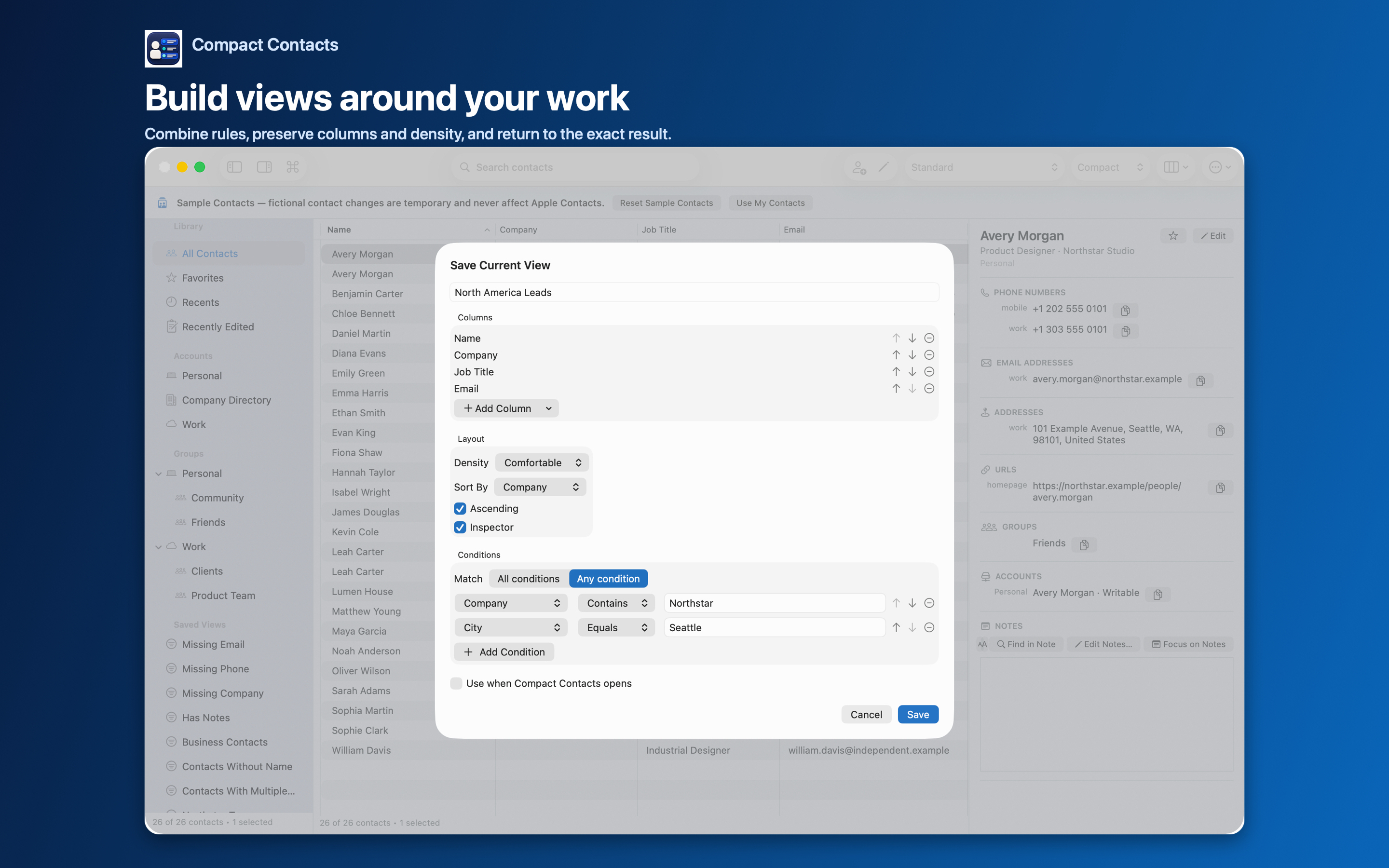
A Smart View in Compact Contacts is a list of conditions plus one choice: Match All conditions or Any condition. That single switch decides whether adding a rule makes the list smaller or larger.
Getting it wrong is easy and silent, so it is worth checking with a known contact every time.
Worked examples
| Question | Conditions | Match |
|---|---|---|
| Designers at Northstar | Company contains Northstar; Job Title contains Designer | All conditions |
| Anyone in Istanbul or Ankara | City equals Istanbul; City equals Ankara | Any condition |
| Business contacts with no phone | Company exists; Missing Phone | All conditions |
| Birthdays in the next 30 days | Birthday within next days 30 | All conditions (one rule) |
| Contacts with a gap | Missing Email; Missing Phone | Any condition |
Operators you can combine
Text fields support Contains, Does Not Contain, Equals, Is Not, Exists, and Missing. Date fields such as Birthday and Anniversary add Before, After, Within Past Days, and Within Next Days.
Account and Group are fields too, so “iCloud contacts in no group” is simply Account equals iCloud plus Group missing, with All conditions.
Test the view before acting on it
- Pick a contact that should match. Confirm it appears.
- Pick one that should not. Confirm it is absent.
- Clear the search field. A leftover search narrows any view further and hides results.
Important: Before selecting a view’s results for Bulk Edit, re-read the match mode. Switching All to Any can multiply the result set.
Questions people ask
Can I mix All and Any in one view?
No. One view uses one match mode. Build two views, or narrow the question.
Do Notes conditions work?
Yes, when Notes access is available and Include Notes in Search is on.
Does changing a view change contacts?
No. A view only filters and arranges the list.