
A list answers “which people did I place together?” A rule-based view answers “which records match these conditions now?” Neither action should be confused with moving contacts between accounts.
Smart Views are saved filters. Earlier releases called them Saved Views; the behavior is the same. Compact Contacts Smart Views retain supported rules and display preferences. They do not create a second copy of each matching contact or a provider-side list.
Build one useful work view
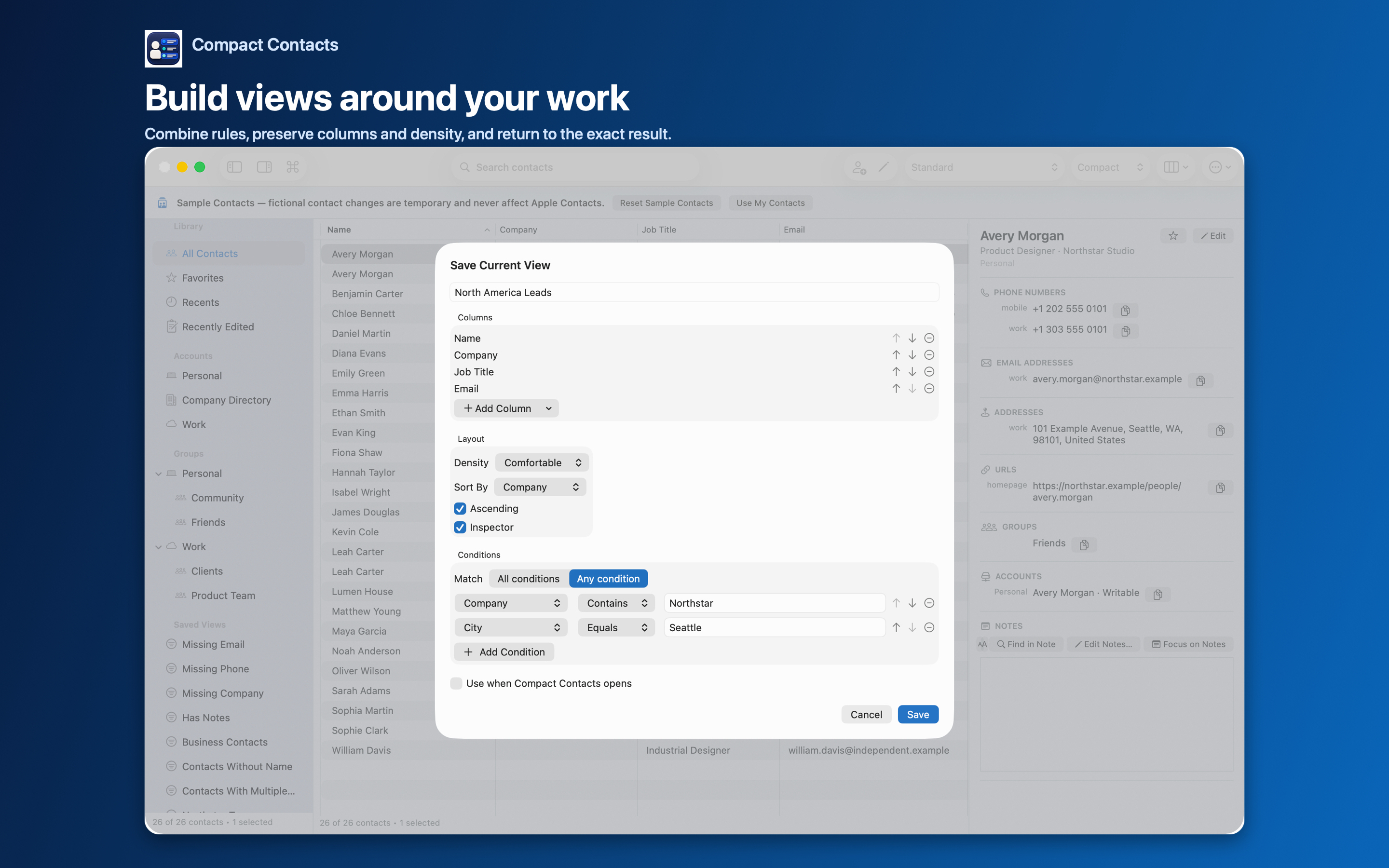
- Choose a question. For example: show contacts whose Company contains Northstar. Start with one condition before combining several.
- Choose New Smart View. On Mac, choose Contact > New Smart View… or press Option-Command-V. In the Save Current View sheet, give the view a specific name, such as Northstar team. Add the Company condition and the intended value.
- Choose readable columns. Include name, company, job title, and the contact fields needed for this review. Set sorting and density so the result can be compared.
- Save and verify. Open the saved view and inspect a known matching contact and a known nonmatching contact. Clear an unrelated text search when assessing the view’s scope.
All conditions and Any condition answer different questions
With All conditions, a record must satisfy every rule. With Any condition, one matching rule is enough. If the goal is “Company contains Northstar AND Job Title contains Designer,” use All conditions.
Changing this choice can widen the result substantially. Review the resulting records before selecting anything for a bulk edit. The view itself only filters and arranges contacts.
Use groups for membership and views for recurring reviews
Keep an explicit client or project group when membership is your decision. Use Missing Phone or Missing Company as recurring review queues. A missing value may be intentional; the queue is not a deletion instruction.
A saved filter is not necessarily a list that another app can read. Provider-supported groups and app-local views have different scopes.
Edit only after checking the view
For a shared company-field correction, select the intended result rows and use Bulk Edit. The preview should reflect that selection, not an assumed whole address book.
Return to the view after saving. A card may stop matching when the field used by its rule changes; this is a changed result set, not evidence of deletion.
Questions people ask
Does deleting a Smart View delete its contacts?
A view is an app-local rules and layout definition, not ownership of the matching records. Removing the view is different from a contact-deletion operation.
Why does a known contact disappear from my view?
Check its current field values, All versus Any matching, and any additional text search. The card may no longer match.
Will creating a view move contacts into another account?
No. Filtering and saving a layout do not migrate account records.