
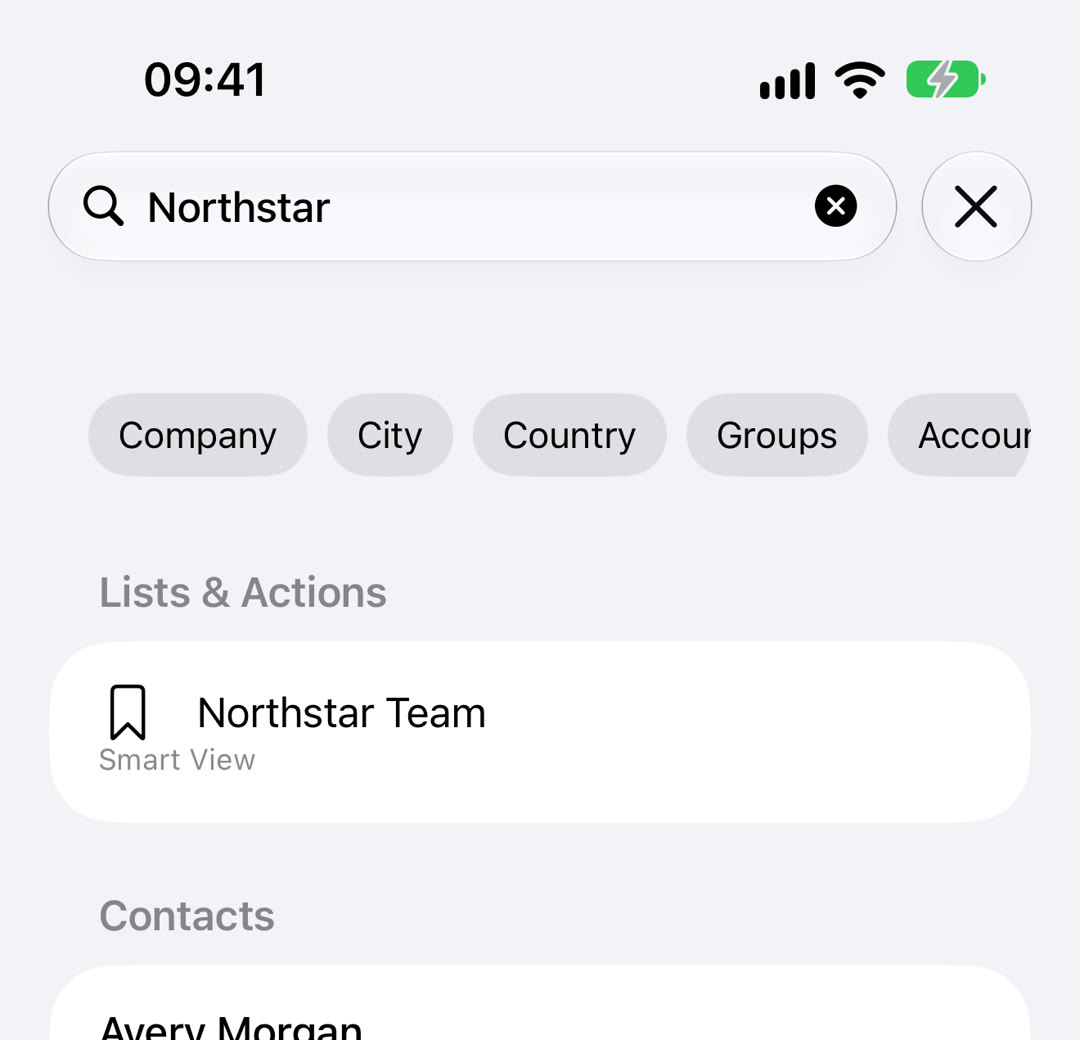
You remember the company, the city, or something you wrote in a note, but not the person’s name. The iPhone Contacts search is built around names and numbers, so those searches often come back empty.
Compact Contacts Manager searches the fields you actually remember and shows why each result matched.
Search as you type
Open the Search tab, or the search field at the top of the contact list; both share the same text. Results appear as you type.
When matches come from different fields, they are grouped under headings such as Results from Name…, Results from Company…, Results from Email…, Results from Address…, and Results from Notes…. A colleague whose company matches does not get lost among people whose names match.
Narrow it with filter chips
Chips below the search field add a filter to your search. The same filters can be typed.
| Chip | Typed form | What it does |
|---|---|---|
| Company, City, Country | company:, city:, country: | Type a value after it, for example company:Northstar |
| Groups, Account | group:, account: | Limit results to one group or one account |
| Has Email, No Email | has:email, missing:email | Only contacts with, or without, an email address |
| Has Phone, No Phone | has:phone, missing:phone | Only contacts with, or without, a phone number |
| Has Notes | has:note | Only contacts with Notes; shown when Notes search is on |
Search inside Notes
Turn on Include Notes in Search in Settings. The app builds a Notes index in memory and clears it when the app quits; nothing is stored on a server. While the index builds, the list shows its progress.
Jump to a list or run a command
Under Lists & Actions, the search also offers matching Smart Views, groups, and accounts. Tap one to open it in the Contacts tab.
With the field empty, the Actions section lists commands such as Export Center…, Import vCard…, Bulk Edit…, Find Potential Duplicates…, and New Smart View….
The Command Palette in Clean Up › Organize searches contacts, Smart Views, groups, accounts, and commands in one list. A few letters, such as “exp”, are enough to reach Export Center.
Questions people ask
Does it search Notes?
Yes, when the app has Notes access and Include Notes in Search is on in Settings.
Can I save a search?
Create a Smart View with the same rule, for example Company contains Northstar. A Smart View keeps the rule and shows current results every time.
Is my search sent anywhere?
No. Search runs on the iPhone, and the index is kept only in memory.