
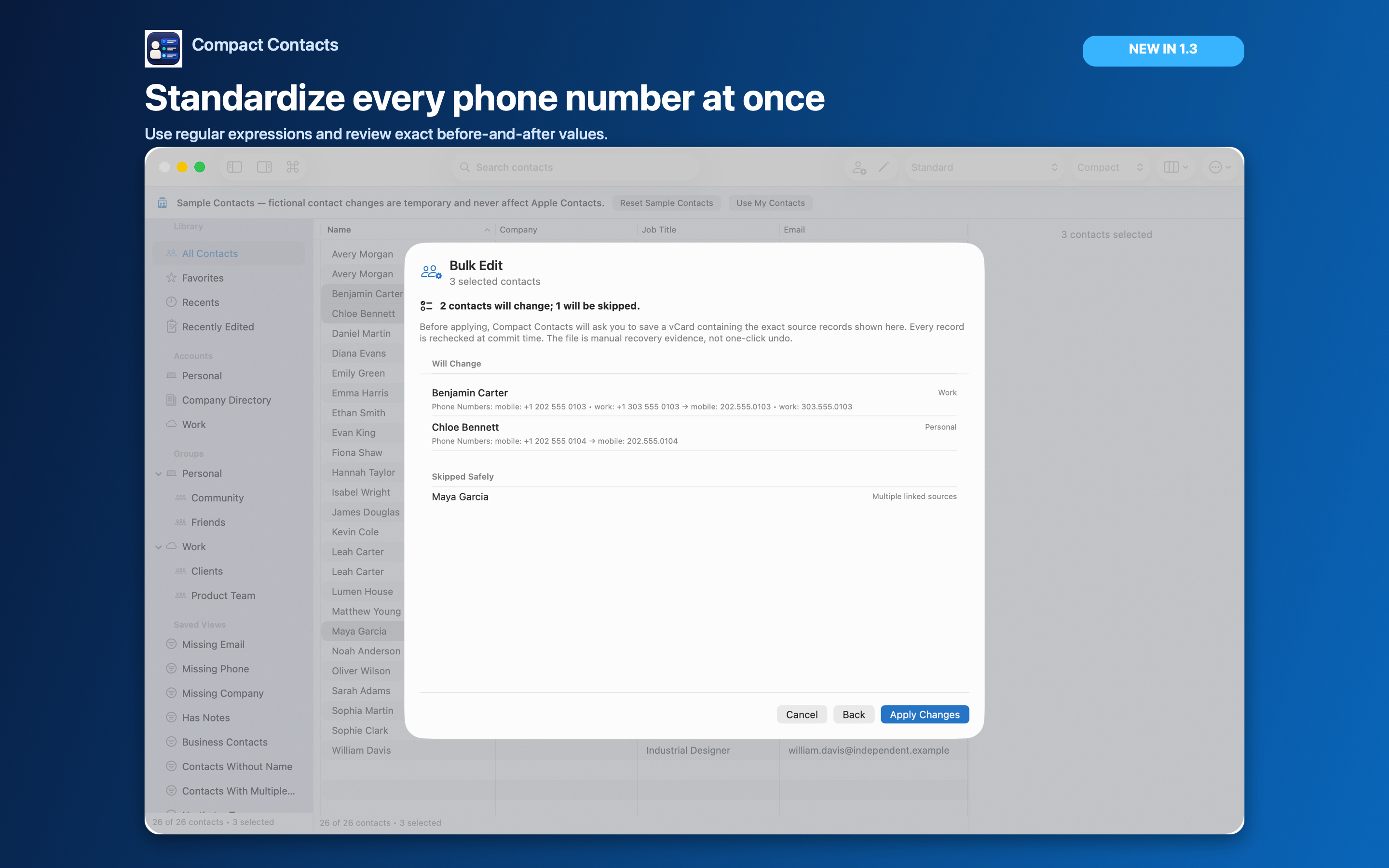
Apple Contacts stores phone values but does not require one visual format. That is why the same library can contain parentheses, spaces, dots, hyphens, a leading +1, and already-normalized values.
Compact Contacts can standardize a reviewed selection with Bulk Edit on Mac or iPad. The example below was tested against synthetic contacts containing common North American formats, Unicode dashes, multiple phone values, international numbers, extensions, and names with diacritics.
Choose a narrow, recoverable scope
Do not begin with an entire mixed-country address book. Filter or select contacts that should follow the same numbering plan, and keep account ownership visible. Read-only or linked records may be skipped rather than silently rewritten.
Before applying a Bulk Edit, Compact Contacts shows the exact affected records and prepares a vCard recovery file for that operation. For a broad cleanup, also create a full Contacts archive in Apple Contacts.
Configure the phone-number transformation
- Select the contacts. Use a Smart View, group, filter, or explicit multi-selection so the operation has a clear boundary.
- Open Bulk Edit. Choose Phone as the field and Find and replace as the operation.
- Enable Regular expression. Also enable Whole value. This anchors the rule to the complete phone value instead of changing a matching fragment inside an extension or international number.
- Enter the tested pattern. Paste the Find and Replace values shown below, then choose Add or update operation.
- Review Changes. Confirm every before-and-after pair and inspect Skipped Safely. Apply only when the changed and skipped sets are both expected.
Tested pattern for 212.555.1212 style
This pattern accepts common ten-digit NANP values with an optional +1 or 1 prefix and common separators. It rejects invalid-looking area or exchange codes and leaves already-normalized values unchanged.
Find
\s*(?:\+?1[\s./‐‑‒–—-]*)?[(]?([2-9][0-9]{2})[)]?[\s./‐‑‒–—-]*([2-9][0-9]{2})[\s./‐‑‒–—-]*([0-9]{4})\s*Replace with
$1.$2.$3Important: Keep Whole value enabled. In the tested 24-contact fixture, 17 contacts and 18 phone values changed; UK, Turkish, extension-bearing, alphanumeric, short, missing, and already-normalized values remained unchanged.
Why one regex is not an international phone formatter
Country codes, national trunk prefixes, variable-length numbers, extensions, and local dialing rules cannot be inferred safely by deleting punctuation. Use a separately reviewed rule for each known numbering plan, or leave the value unchanged.
A preview is the decision point. If an expected number is skipped, refine the selection or rule; do not weaken the expression until it starts matching unrelated values.
Formatting is different from finding a missing number
A number can be stored correctly but displayed with regional formatting. First decide whether you need a visual preference or an actual change to the saved field. Do not rewrite stored values just because two screens display them differently.
For an empty phone field, a formatting rule has nothing to transform. Review those cards separately, then add only numbers you can verify.
Questions people ask
Will the regex change names, Notes, or email addresses?
No. The operation is scoped to labeled Phone values in the selected contacts. The preview shows the exact field changes before any write.
Does this work on both Mac and iPad?
Yes. Compact Contacts provides the same previewed phone transformation on both platforms, with platform-adapted interfaces.
Can I use this pattern for every country?
No. It intentionally handles valid-looking ten-digit NANP values. International normalization needs country-aware rules and separate review.